
Text-to-video AI has gone from experimental curiosity to production-ready tool. In 2026, creators have more options than ever — but the tools differ dramatically in quality, pricing, editing capability, and what you can actually do with the output. Some generate single clips. Others build entire films. Some charge per clip. Others charge a monthly subscription for limited generations.
This comparison evaluates the major text-to-video platforms available in October 2026. We tested each on the same prompts, measured output quality, and compared pricing, features, and workflows. Whether you are a solo creator, a marketing team, or a filmmaker, this guide helps you choose the right tool for your needs.
Quick Comparison Table
| Platform | Models | Timeline Editor | Pricing | Best For |
|---|---|---|---|---|
| filmaris | 50+ (Kling, Veo, Wan, FLUX, etc.) | Full multi-track | Free tier + credits per clip | Film production, multi-scene projects |
| Runway Gen-4.5 | Gen-4.5 + partner models (Kling, Seedance) | Basic | Monthly subscription | Quick clips, AI video editing (Aleph) |
| Pika 2.5 | Pika 2.5 + partner models (Seedance, Wan) | None | Subscription or credit packs | Social media clips, lip sync |
| Synthesia | Avatar-based | Scene editor | Monthly subscription | Talking head videos, training content |
| Kling (direct) | Kling 4.0 | Canvas with timeline | Credits per clip | Single high-quality clips |
| Veo (direct) | Veo 3.1 / Gemini Omni Flash | Scene builder | Monthly subscription | Photorealistic scenes, long clips |
What Sets These Tools Apart
The fundamental difference between text-to-video tools is scope. Most tools — Runway, Pika, Kling direct, Veo direct — generate individual clips from text prompts. You type a description and get a clip of a few seconds, at most about half a minute. If you want to build a multi-scene video, you generate clips separately and stitch them together — in the tool’s own simple editor, where it has one, or in a traditional editor like Premiere or DaVinci Resolve.
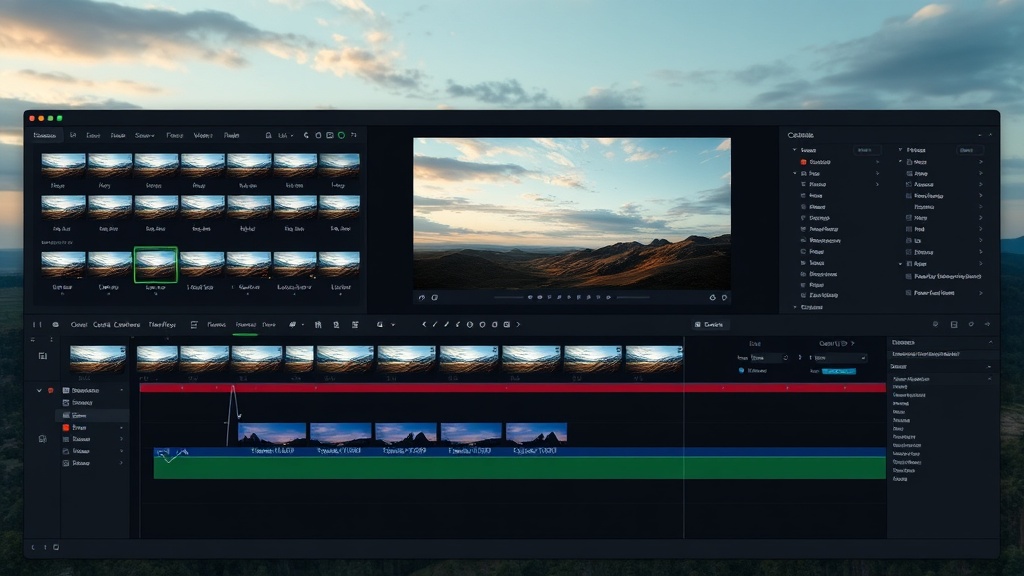
filmaris takes a different approach: it is a text-to-film platform, not just a text-to-clip generator. You describe a concept, and the AI script generator builds a complete screenplay with scenes, camera directions, and dialogue cues. Then 50+ AI models generate video, images, voiceover, music, and sound effects for each scene. Everything lands on a professional multi-track timeline where you arrange, trim, composite, and export a finished film — all in the browser.
Detailed Platform Reviews
filmaris — The Multi-Model Film Editor
Models: 50+ models across 7 providers — Kling 4.0, Veo 3.1, Seedance 2.5, Wan 3.0, Hailuo, Pika, FLUX, GPT Image 2.5, Nano Banana 2.1, ElevenLabs, OpenAI TTS, Stability Audio, and more.
Unique advantage: filmaris lets you compare models side-by-side for every scene of your film. Generate the same scene with Kling, Veo, and Wan, compare quality and cost, then pick the best result. You are not locked into one model.
Pricing: Free tier with the multitrack editor, 720p MP4 export with watermark, your own fal.ai key and one free one-minute film per confirmed e-mail. Video generation uses credits per clip, from LTX-2.5 up to Veo 3.1. BYOK users pay the AI provider directly, plus a small platform share in credits. No monthly subscription required — buy credits when you need them.
Timeline: Full multi-track compositing timeline with opacity, volume, trim, transitions (7 types), and layer controls. Real-time preview powered by Remotion. Export to MP4 (HD/4K) or FCPXML for professional NLEs.
Best for: Creators who want to build complete films, not just single clips. Anyone who wants to compare models before committing. Budget-conscious users who want per-clip pricing instead of monthly subscriptions.
Runway Gen-4.5 — The Quick Clip Generator
Models: Runway’s own Gen-4.5 model, plus a selection of models from other labs such as Kling 4.0 and Seedance 2.5.
Pricing: Monthly subscription. Limited generations on lower tiers. No pay-per-clip option.
Strengths: Aleph 2.0 for editing existing video. Good image-to-video capability. Clean UI for simple clip generation.
Limitations: No script-to-film pipeline. Basic timeline. Monthly subscription with generation limits on lower plans. No BYOK option.
Best for: Designers who need quick clips and AI edits of existing footage. Users already in the Runway ecosystem.
Pika 2.5 — Social Media Focus
Models: Pika’s own Pika 2.5 model plus models from other providers such as Seedance 2.5 and Wan 3.0, with lip sync and scene expansion features.
Pricing: Monthly subscription, or one-off credit packs without one. The free plan has no monthly credits and runs on credit packs.
Strengths: Strong lip sync for dialogue scenes. "Pikaffects" for creative video effects. Fast generation times.
Limitations: No timeline editor. Short clip focus (up to 30-second multi-shot videos). No scriptwriting.
Best for: Social media creators who need short, eye-catching clips with lip sync or effects.
Synthesia — Avatar Talking Heads
Models: Avatar-based generation — not general text-to-video. Realistic digital humans deliver scripted dialogue.
Pricing: Monthly subscription. Per-minute pricing on higher tiers.
Strengths: Best-in-class talking head quality. 240+ avatar options. 140+ languages. Professional for corporate training and explainer videos.
Limitations: Not a general text-to-video tool — built around avatar-based content. Creative visuals are limited to B-roll clips and images from third-party model integrations. Very expensive for casual use.
Best for: Corporate training videos, HR onboarding, product explainers with a human presenter. Not suitable for creative filmmaking.
Kling and Veo Direct — Raw Model Access
Both Kling (via Kuaishou) and Veo (via Google) offer direct access to their models. The quality is excellent, and both now generate sound together with the picture: Veo 3.1 adds sound effects, ambient noise and dialogue, Kling 4.0 stereo audio with lip-synced dialogue. Editing stays simple — Scenebuilder in Google Flow trims and orders Veo clips, and Kling’s canvas has a timeline for previewing and editing. Planning and assembling a whole film is still up to you.
Key difference from filmaris: filmaris gives you access to both Kling AND Veo (plus 48 other models) through a single interface with a timeline editor. Using Kling or Veo directly gives you one model and one clip at a time.
Feature Comparison: What Matters Most
Model Variety
This is filmaris’ biggest advantage. With 50+ models across video, image, audio, and text, you can always choose the best model for each task. LTX-2.5 for cheap drafts, Kling 4.0 for quality-price balance, Veo 3.1 for maximum quality. Runway and Pika now also offer models from other labs, such as Kling and Seedance; Kling direct and Veo direct stay with their maker’s own models.
Timeline and Editing
filmaris is the only text-to-video platform with a professional multi-track timeline. Runway has a basic editor. Synthesia has a scene-based editor. Veo direct comes with Scenebuilder in Google Flow for trimming and ordering clips, and Kling direct with a canvas that has a timeline. Pika has no timeline editor.
Audio Generation
filmaris generates voiceover (ElevenLabs, OpenAI TTS), music (Stability Audio, ACE-Step), and sound effects alongside video. Runway and Pika now also generate voice, music and sound effects, and Veo 3.1 and Kling 4.0 create sound together with the video.
Cost Structure
filmaris uses pay-per-clip pricing with no monthly subscription. Runway and Synthesia require monthly subscriptions with generation limits once you go beyond their free plans; Pika also sells credit packs without a subscription. For occasional users, per-clip pricing is far more cost-effective. For heavy users, filmaris’ BYOK option bills the AI cost directly to their own fal.ai account.
Script-to-Film Pipeline
Only filmaris offers end-to-end script-to-film automation: you provide a concept, AI writes the screenplay, generates all media, and assembles it on a timeline. Other tools work clip by clip, or in short multi-shot sequences of up to about 30 seconds.
Price Comparison: Real-World Scenarios
| Scenario | filmaris | Runway Gen-4.5 | Pika 2.5 |
|---|---|---|---|
| 1 clip (5s) | Credits per clip | Subscription minimum | Credit pack or subscription |
| 10 clips (social media batch) | Credits per clip | Subscription | Credit pack or subscription |
| 1-minute film (12 clips + audio) | Credits per clip | Subscription | Not possible (no timeline) |
| 5-minute film | Credits per clip | Subscription + NLE | Not possible |
Verdict: Which Text-to-Video AI Should You Choose?
Choose filmaris if: You want to create complete videos or films — not just isolated clips. You want access to multiple AI models and pay-per-clip pricing. You need a timeline editor, audio generation, and script automation in one tool.
Choose Runway if: You need quick clips and AI edits of existing footage and are comfortable paying a monthly subscription.
Choose Pika if: You focus on short social media clips and need lip sync. You do not need a timeline.
Choose Synthesia if: You need talking-head avatar videos for corporate training or education. You are not doing creative filmmaking.
Choose Kling/Veo direct if: You only need clips from one specific model family and will plan and assemble the film yourself.
For most creators, filmaris offers the best combination of model variety, pricing flexibility, and production capability. Start with the free tier — one free one-minute film per confirmed e-mail, full timeline access, no credit card required.
Frequently Asked Questions
Which text-to-video AI has the best quality?
Quality depends on the model, not the platform. Kling 4.0 and Veo 3.1 produce the highest quality video clips in 2026. filmaris gives you access to both — plus 48 other models — so you can compare and choose the best result for each scene.
What is the cheapest text-to-video AI?
filmaris with LTX-2.5, paid per clip in credits, is the cheapest option. The free tier includes the multitrack editor, 720p MP4 export with watermark and one free one-minute film per confirmed e-mail. BYOK users pay the AI provider directly, plus a small platform share in credits.
Can I make a full video from text, not just clips?
Only filmaris offers a complete text-to-film pipeline: AI writes the script, generates video/images/audio for each scene, and places everything on a multi-track timeline. Other tools generate individual clips or short multi-shot sequences that you assemble yourself.
Do I need a monthly subscription?
filmaris uses pay-per-clip credits with no subscription required. Runway and Synthesia require monthly subscriptions beyond their free plans; Pika also sells credit packs without one. For occasional use, per-clip pricing is significantly cheaper.
Related Guides
- Best AI Video Generators 2026 — In-depth model comparison
- AI Film Making: Complete Beginner’s Guide — Step-by-step tutorial
- How to Create a Movie with AI — Full workflow walkthrough
- Text to Video AI — Try it yourself
- AI Models — every model with its capabilities and price
- Pricing — Credits and plans